Introducing support for DNS over HTTPS in Zen

Version 0.30.0 of Zen, our free and open-source system-wide ad-blocker, introduces long-awaited support for DNS over HTTPS. Below is a short explainer on what it is, how it works, and what to expect next.
What is DNS over HTTPS?
DNS is a fundamental internet protocol that resolves domain names, like irbis.sh, to IP addresses that a computer can actually connect to over the network. The role of resolving domain names is performed by a DNS server. You can manually configure the provider, and there are a few great privacy-friendly options out there. However, unless manually configured, your DNS server is usually operated by your internet service provider (ISP).
DNS was introduced 43 years ago, and despite being very well designed overall, has several shortcomings. One of them is the fact that by default, queries are sent unencrypted, in plaintext. Combined with the fact that your DNS queries are likely sent to your ISP, this creates privacy and security issues on multiple levels:
- ISPs have an incentive to monetise your data. A 2021 FTC report found that several major US ISPs combine browsing data with personal data to target ads, and in 2022 European carriers trialled an ad-targeting system of their own
- Potential attackers who have access to your network (connected to the same cafe Wi-Fi, for example) can (a) snoop on your network traffic and (b) maliciously forge responses to force your computer to connect to an unwanted address
DNS over HTTPS sends the DNS queries over HTTPS, the same “padlock” protocol that protects your usual web activity. This means:
- Neither your ISP nor other devices on your network can see the DNS queries you send
- DNS answers can’t be tampered with on their way from the provider to you
Your provider still sees your queries, so choosing one whose privacy policy you trust is important.
Although DNS over HTTPS provides a significant privacy and security benefit, it doesn’t completely protect you from snooping. Someone can still see the IP addresses you connect to, and usually the domain names, which HTTP and most HTTPS connections leak. Still, using it is a big step in the right direction.
How does DNS over HTTPS work in Zen?
As of v0.30.0, you can configure an encrypted DNS provider in Zen under Settings > DNS. The setting is off by default:
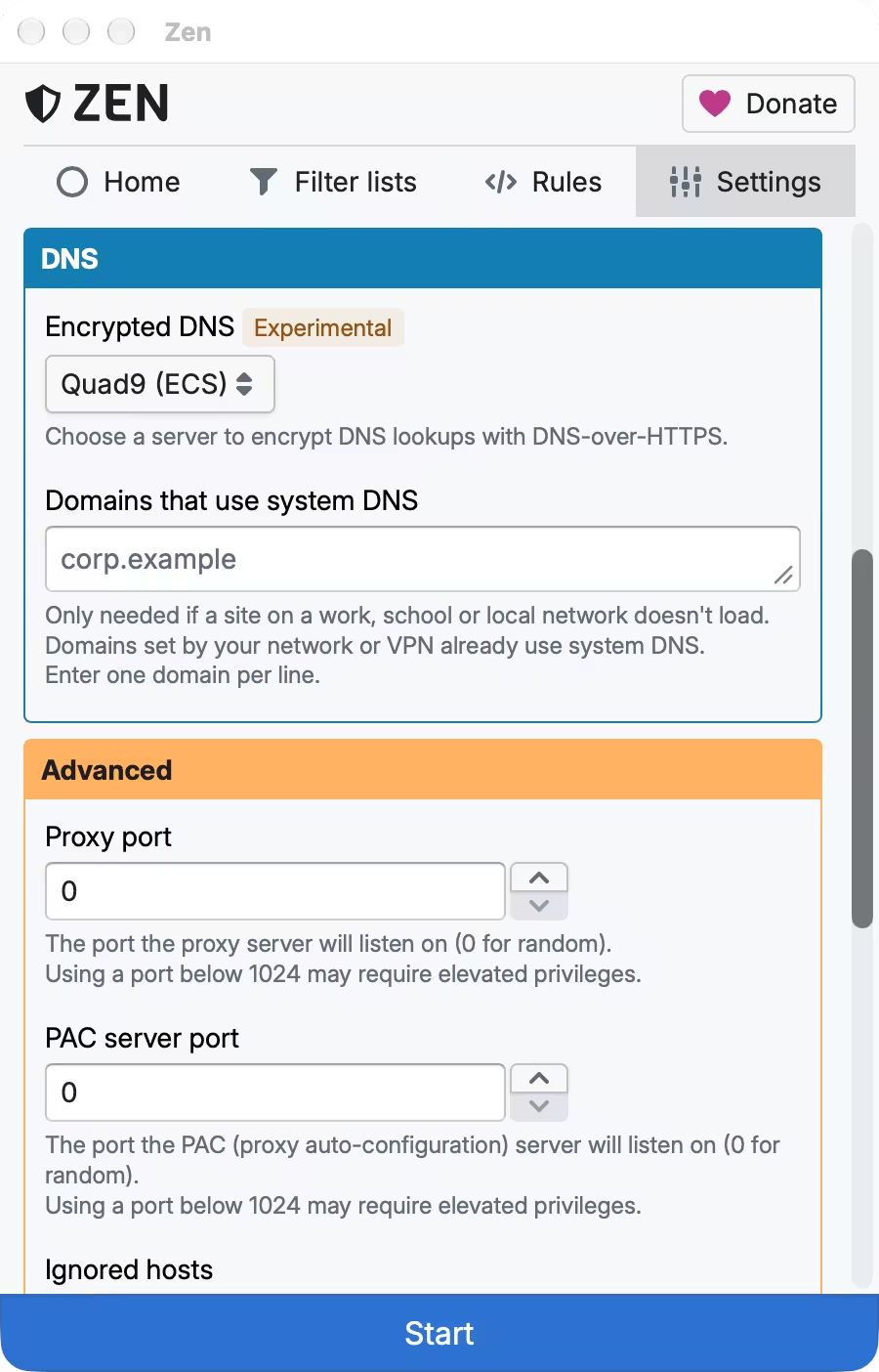
Once configured, Zen will send DNS queries for its proxied requests to the chosen provider. To be explicit: this does not (yet) cover DNS queries for traffic that doesn’t flow through Zen.
There are a few preconfigured options, as well as the ability to set a custom URL. Providers have different policies and trade-offs in terms of privacy, security, and speed. To make an informed choice, feel free to familiarise yourself with the resolution and privacy policies of different providers. However, if you don’t want to spend too much time on this, Quad9 and Cloudflare are two choices I can recommend to most people.
Zen’s DNS over HTTPS is also lenient by design. If your chosen provider fails to answer, Zen falls back to your OS’s default resolver, which may be unencrypted. Zen also uses the OS resolver for domains your network advertises as internal, for example on a school or work network, and for all domains when a VPN handles DNS.
There’s also a bonus: with an encrypted DNS provider configured, Zen can block third-party trackers that use CNAME cloaking to pose as a site’s own subdomains. It does this by checking CNAME records against your filter lists, except for domains resolved by your OS.
What to expect next
As noted, this does not yet implement full-system DNS proxying, so DNS queries for traffic outside Zen will continue to use your system’s DNS settings. We are working hard on it, so stay tuned for further updates.
As always, if you experience issues, let us know in our community forums – Discord or Reddit – or via the bug report form on GitHub.